Customer support eats time. Freelancers and small business owners often answer the same questions over and over: Where is my order? How do I reset a password? Can I get a refund? Each reply takes minutes. Repeat that 20 times a day and you lose hours. The good news is you can automate a large part of this. You do not need to hire a support team. You do need a simple system that connects your existing help desk to AI. Before you start, read our n8n review to choose the right setup.
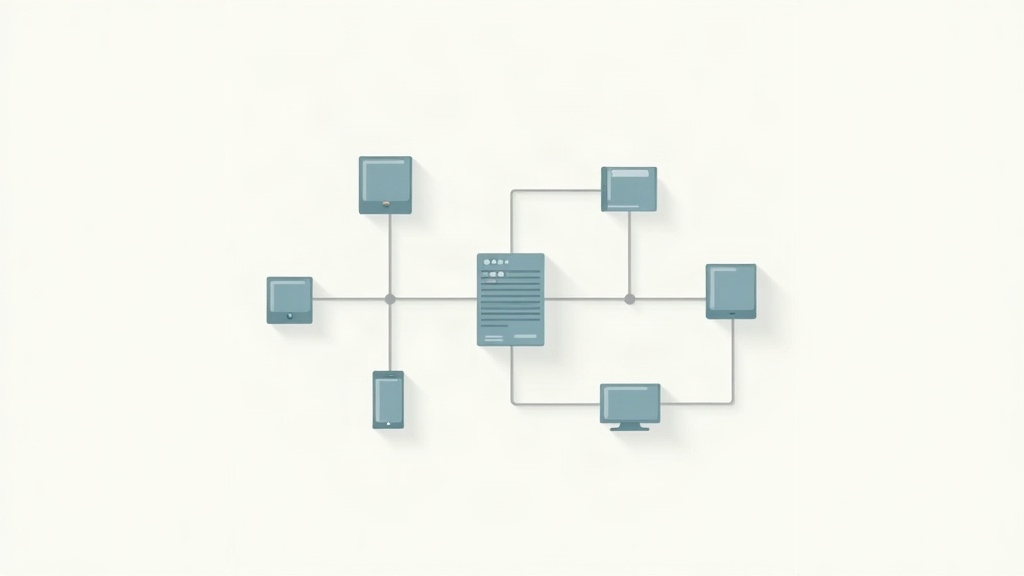
The core idea is simple. n8n watches your help desk for new tickets. It sends the ticket text to ChatGPT. ChatGPT decides if it is a common question, a refund request, a bug report, or something urgent. Then n8n tags the ticket, routes it to the right person, or sends a saved answer automatically. You can also put a chatbot on your site. That chatbot answers basic questions before a ticket is ever created. The result is a support queue that shrinks instead of growing.
This is not about replacing human support. It is about removing the repetitive 80 percent. You still handle angry customers, complex technical issues, and edge cases. AI handles the rest. The best part is you do not need code. n8n is a visual automation builder. ChatGPT is an API call. Your help desk has webhooks and API access. You connect the three. In this guide you will learn the exact workflow, step by step.
You will need an n8n account, an OpenAI API key, and a help desk like Zendesk, Intercom, or Freshdesk. Most help desks have free trials. n8n’s cloud Starter plan costs $20 per month for 2,500 workflow executions, which is enough for many freelancers. If you prefer self-hosting, that option exists too. The key is to start small and expand once you see results.
What You’ll Need
- n8n account (cloud or self-hosted)
- OpenAI API key
- Help desk account with API access (Zendesk, Intercom, Freshdesk, etc.)
- Basic understanding of webhooks
How Do You Automate Customer Support With AI and ChatGPT?
- Map your support volume and common categories
You cannot automate what you do not understand. Start by exporting your last 100 support tickets from your help desk. Read through them. Group each ticket into a category: order status, password reset, refund request, bug report, sales question, or other. Count how many tickets fall into each bucket. This tells you what to automate first. Most freelancers find that 60 to 80 percent of tickets are repetitive. Those are your quick wins.
Next, write down the top 10 questions customers ask. For each question, write a short, clear answer. You will use these answers later in your ChatGPT prompts. Do not skip this step. If you automate without a map, you will create a chatbot that gives wrong answers. That hurts trust. Keep the list simple. You can always add more categories later.
Finally, decide what counts as urgent. Some tickets need a human right away: billing disputes, security issues, legal complaints. Everything else can wait for automation. This decision becomes your routing rule. If you are unsure where to start, look at our social media cross-posting template for a similar mapping approach applied to content. That example shows how a simple category list can drive a whole workflow.
- Connect your help desk to n8n
Your help desk is the source of truth. n8n needs to watch it for new tickets and update tickets when something changes. Most help desks have webhooks or triggers in n8n. For Zendesk, use the Zendesk Trigger node. For Intercom, use the Intercom Trigger. For Freshdesk, use the Freshdesk node. If your help desk does not have a native n8n node, use a webhook. Log in to n8n, create a new workflow, and add your help desk trigger.
The trigger should fire on new ticket created. Some help desks also fire on ticket updated. Start with created only. That keeps the workflow simple. After you add the trigger, authenticate your help desk account. n8n will ask for an API key or OAuth token. Follow the help desk’s API docs. The first connection can take 30 minutes. That is normal. Once it works, you will reuse it for every support automation.
For a full list of supported help desk nodes, check the n8n documentation. If you are new to n8n, spend 20 minutes with the official quickstart guide. n8n’s cloud Starter plan costs $20 per month for 2,500 workflow executions. That is enough for many freelancers who handle fewer than 2,500 support events per month.
- Set up your OpenAI ChatGPT connection
OpenAI’s API is what makes the automation smart. Sign up at platform.openai.com and create an API key. Store the key in n8n as a credential. n8n has a built-in OpenAI node. Add an OpenAI node after your help desk trigger. Choose the Chat Message operation. Select a model like gpt-4o-mini. This model costs $0.15 per 1 million input tokens and $0.60 per 1 million output tokens. A typical support reply of 150 tokens costs less than one cent.
The key to good support automation is the prompt. You need to tell ChatGPT exactly what to do. Start with a system message: ‘You are a helpful support assistant for a small business. Classify the ticket and draft a reply. Use a polite, concise tone. Do not make up information.’ Then pass the customer’s message as the user message. Test the node with a few real tickets. Check if the classification is correct and the reply sounds human.
Do not send private customer data without thinking. OpenAI’s API is secure, but you should still reduce what you share. Strip out phone numbers, payment details, and physical addresses before sending. You can do this with n8n’s Edit Fields node or a small JavaScript node. This protects your customers and keeps you compliant. For a deeper look at using AI in messaging workflows, see how to automate email with AI.
- Build an auto-reply for common questions
Now you can resolve tickets without a human. After the OpenAI node gives you a classification, add an IF node or a Switch node. Set conditions for the categories you mapped in step one. For example, if the classification is password reset, send a saved answer. If it is order status, check your order system and reply with the current status. If it is refund request, route to a human. This is where n8n’s visual builder helps you see every branch.
For saved answers, use a Set node to load the correct response. You can store answers in a Google Sheet, Airtable, or n8n’s built-in data store. Keep answers short. Two to four sentences is ideal. Do not copy a full help article. If the customer needs more detail, add a link to your knowledge base. The goal is to solve the issue in one reply, not to start a back-and-forth.
After you create the reply, use your help desk node to update the ticket. Set the status to solved or pending. Add an internal note that the reply was automated. That way a human can review it later if needed. This step alone can cut your ticket handling time by half. If you want a ready-made follow-up pattern, adapt the same logic from any email sequence you already use.
- Add automatic ticket routing and tagging
Not every ticket should be auto-replied. Some need a specific person or team. Use the classification from ChatGPT to route tickets. In n8n, add a Switch node after the OpenAI node. Create a branch for each category. For urgent categories like billing dispute or security issue, assign the ticket to a human immediately. For common questions, continue the automation. For bug reports, tag the ticket as bug and assign it to the development queue.
Tagging is just as important as routing. Help desks use tags to filter and report. Add tags like ai-handled, refund, password, urgent, or feature-request. You can set these tags using your help desk node’s update operation. Consistent tags make your support reports much more useful. You can see at a glance how many tickets were automated and how many needed a human.
The routing step connects directly to the next step. Once you have a tagged and routed ticket, you can either auto-reply or let a human take over. The pattern is similar to our lead enrichment automation workflow. That workflow also classifies and routes incoming leads based on data.
- Deploy a customer-facing AI chatbot
A chatbot can stop tickets before they start. Instead of waiting for a customer to email, you put a chat widget on your website. The chatbot answers common questions instantly. If it cannot answer, it creates a ticket in your help desk. n8n can power this chatbot. You can build a webhook endpoint that receives chat messages from your website or use a tool like Intercom’s Fin, Zendesk’s Answer Bot, or a custom widget.
The simplest approach is to build a small chat widget that posts to an n8n webhook. The webhook triggers a workflow. That workflow sends the user’s message to ChatGPT, gets a reply, and returns it to the widget. You can add a step that checks a knowledge base before calling ChatGPT. That reduces hallucinations. If the confidence is low, the workflow creates a ticket and tells the customer a human will follow up.
For freelancers, this is the highest-leverage automation. One chatbot can handle hundreds of conversations at once. You do not pay per chat. You pay only for the API tokens used. At $0.15 per 1 million input tokens for gpt-4o-mini, a typical chat conversation costs less than half a cent. Compare that to paying a virtual assistant $5 per hour. The chatbot never sleeps and never gets tired.

- Add human handoff rules
Automation fails when it tries to handle everything. You need a clear handoff path. In your n8n workflow, add a branch for any ticket that has negative sentiment, mentions a lawsuit, asks for a manager, or contains words like refund, cancel, chargeback. These go straight to a human. You can detect sentiment with the same ChatGPT call. Ask the model to return a sentiment score from 1 to 5. If the score is below 3, route to a human.
The handoff should be fast. Use a Slack or email node to ping the right person. Include the ticket ID, customer name, and a one-line summary. The summary can be generated by ChatGPT. Do not make the human read the whole thread. A good handoff message might say: ‘Urgent ticket #1432 from Jane about a billing dispute. She is angry and wants a refund. Please respond within 2 hours.’ That clarity saves mental energy.
After the human replies, the automation can continue. You might set a workflow that watches for the human’s response and then closes the loop with a thank-you message. Or you can simply let the help desk handle it. The point is that automation and humans work together. For another example of human-in-the-loop design, see how to automate invoicing with AI. That guide shows how to review AI output before sending.
- Test, monitor, and expand
Never turn on a support automation without testing. Use your help desk’s sandbox or a test ticket. Run the workflow 20 times with different ticket types. Check every branch: common question, refund, urgent, gibberish, non-English. Does the system tag correctly? Does the reply sound human? Does the handoff fire? Fix any wrong classifications before going live.
After launch, monitor the first week closely. Check the tickets that were auto-solved. Are customers replying with confusion or anger? If yes, adjust the prompts. Check the tickets that went to humans. Are any common questions still slipping through? If yes, add a new category and saved answer. n8n gives you execution history for every workflow. Use it.
Once the system is stable, expand one category at a time. Maybe next month you automate order status lookups. Then you add a self-service portal link. Then you connect your chatbot to your knowledge base. Do not try to automate everything at once. That is how automations break. This gradual approach keeps your support quality high while you save more time.
Red Flags & Warnings
- 🚨 Never connect your help desk production account before testing in a sandbox. A bad workflow can auto-reply to every customer with wrong information.
- 🚨 Always strip sensitive data before sending tickets to ChatGPT. Remove phone numbers, payment details, and addresses using n8n’s Edit Fields node.
- 🚨 Do not automate billing disputes, refund approvals, or legal threats without a human review step. Those categories need human judgment.
- 🚨 Keep an eye on API costs. While gpt-4o-mini is cheap, a misconfigured loop can send hundreds of retries and burn through your OpenAI budget.
- 🚨 Disclose the chatbot clearly. If customers discover they were talking to AI without warning, trust drops fast.
Frequently Asked Questions
What is the best AI model for support automation?
gpt-4o-mini is a good starting point because it is fast and cheap. It costs $0.15 per 1 million input tokens, so most replies cost less than a cent. For complex tickets, you can switch to gpt-4o. Start with gpt-4o-mini and upgrade only if you see quality issues.
How much does n8n cost for this workflow?
n8n’s cloud Starter plan costs $20 per month for 2,500 workflow executions. That covers a small support queue. Self-hosting on a $5 VPS gives unlimited executions. Choose based on volume and comfort with server management.
Can I automate support without any code?
Yes. n8n is a visual builder, so you can create workflows by dragging nodes and connecting them. You only need to write prompts in plain English. Some setup, like API keys, is done through forms, not code.
Will customers know they are talking to a chatbot?
You should always disclose that the first reply is automated. A simple line like ‘This is an automated assistant. A human will help if needed’ builds trust. Most customers accept it if the answer is accurate and fast.
What if the AI gives a wrong answer?
Set a low confidence threshold. If ChatGPT is unsure, route to a human. Also log all automated replies so you can review mistakes. Start with common questions that have clear answers. Never automate billing or legal advice without human review.
Which help desk works best with n8n?
Zendesk, Intercom, and Freshdesk all have native n8n nodes and solid API support. Zendesk is popular but pricey. Freshdesk is affordable for freelancers. Intercom has built-in AI features but costs more. Choose based on your budget and existing tool stack.
What Should You Remember?
- Map first. Export 100 tickets, group them, and identify the top 10 repetitive questions before you build anything.
- Use n8n as the glue. n8n connects your help desk trigger to ChatGPT and back, no code required.
- Start with gpt-4o-mini. It costs $0.15 per 1 million input tokens, so per-ticket AI cost is under a cent.
- Auto-reply only the common stuff. Password resets, order status, and simple FAQs can be fully automated.
- Route urgent tickets to humans. Billing disputes, security issues, and angry customers need a person right away.
- Disclose the bot. Always tell customers when a reply is automated to keep trust.
- Test before launch. Run 20 test tickets through every branch and watch the first week closely.
This article is for general information only. Review your workflow data and the permissions you grant to connected tools before you enable automation. Some platforms have free-tier limits and paid plans that change over time , always check current pricing and plan limits on the vendor’s site before you commit.